Tasks
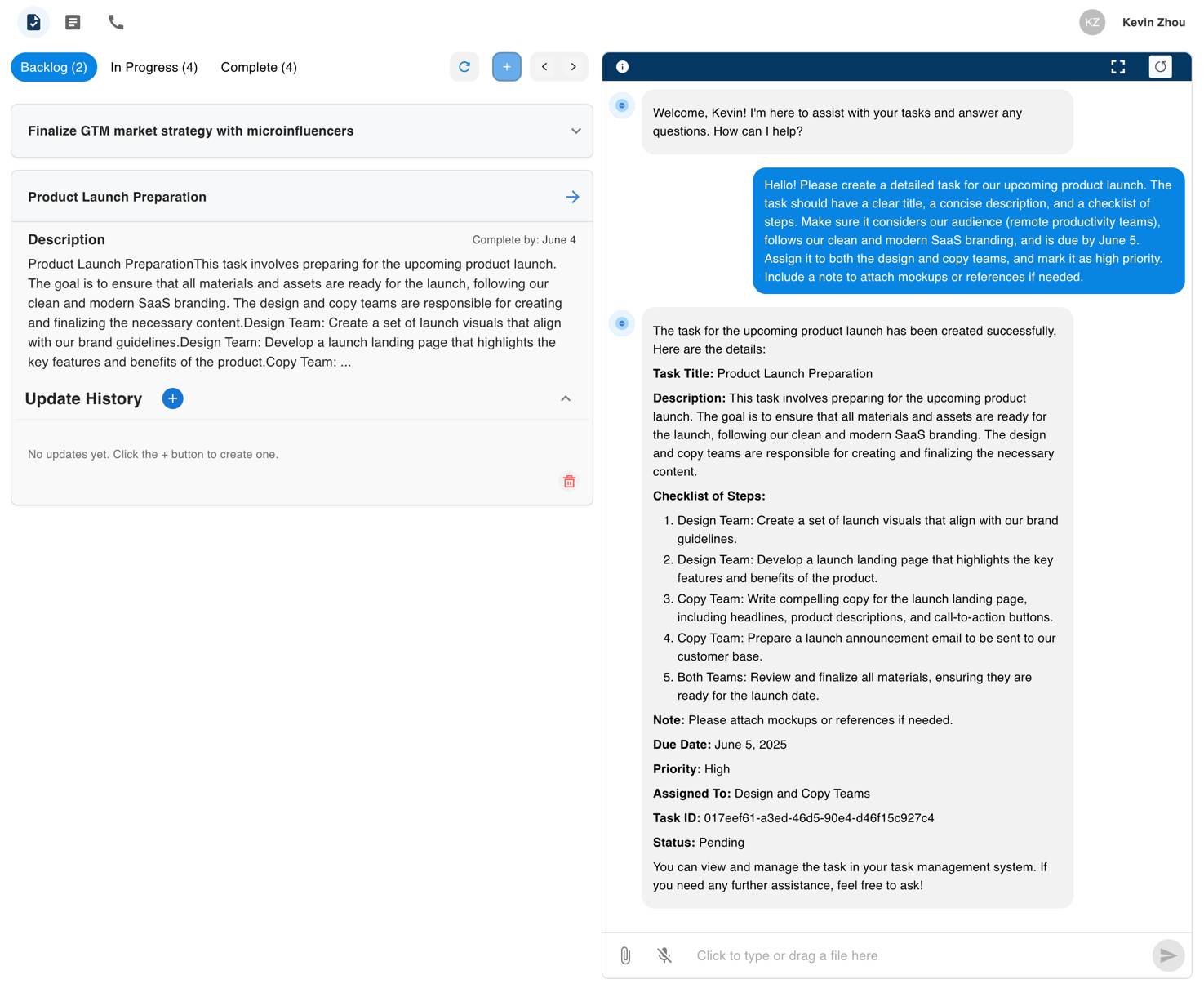
Managing tasks is a core feature of the Telemore AI platform, designed to streamline and enhance traditional task tracking workflows. Instead of manually creating every item and juggling disconnected to-do lists, Telemore uses AI to intelligently assist you. Based on the descriptions you write, the system generates smart task suggestions, and you can chat directly with the AI to create, update, or refine tasks in real time.
Our task management system is intentionally simple and user-friendly, built around three straightforward stages: Backlog, In Progress, and Complete. Tasks are also organized into three intuitive categories, making it easy to stay focused and move fast.
✏️ Creating Tasks
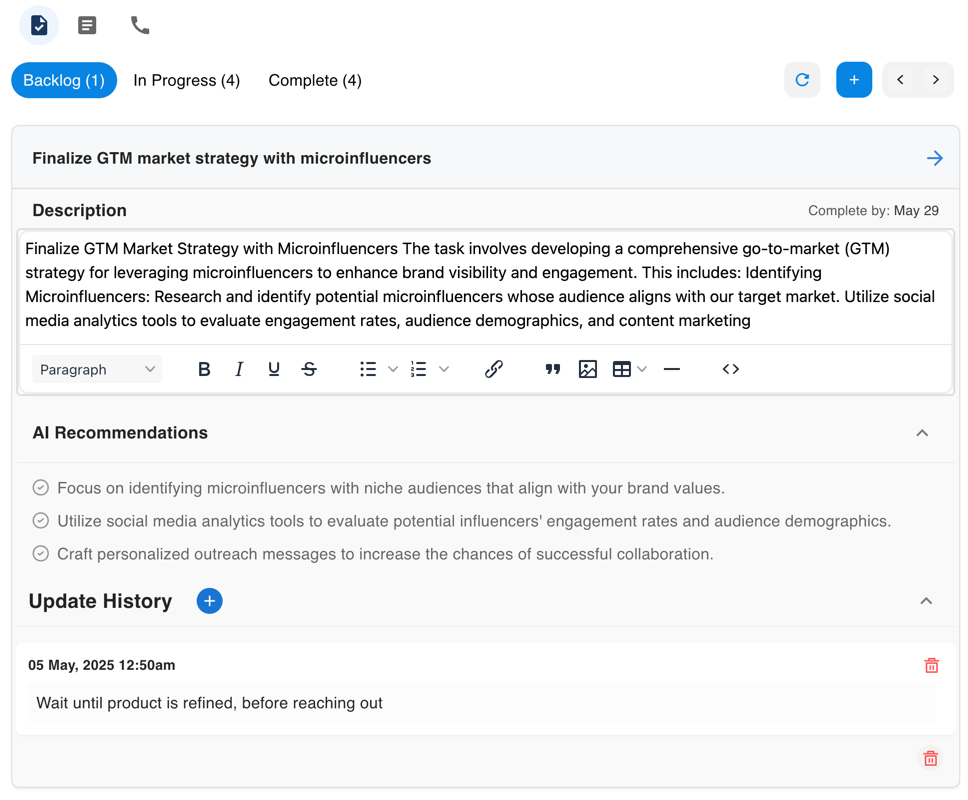
To create a new task from the tasks page:
- Select the "+" button
- A new task card will appear
- Enter a title, due date, and description
- Watch AI recommendations being generated for you
- Alternatively, you can create a task through chat
🔒 Note: There is a limit of 6 non-completed tasks at a time. This restriction helps you stay focused on completing what matters most.
🧩 Updating Tasks
Organize your tasks effectively:
- Move tasks between different states: Backlog, In Progress, and Completed
- Update the description through our intuitive and easy-to-use interface
- Track progress with status updates
- Drag and drop task items to your desired order
🤖 Chat with Your Tasks / Task Automation
Automate routine tasks:
- Create a task, update a task, or add a task update—all through the chat interface
- Ask questions directly about your tasks and receive suggestions
- Let AI do the heavy-lifting of keeping track of your work—no more endless writing or manual updates